PROFESSIONAL USB VIDEO OUTPUT
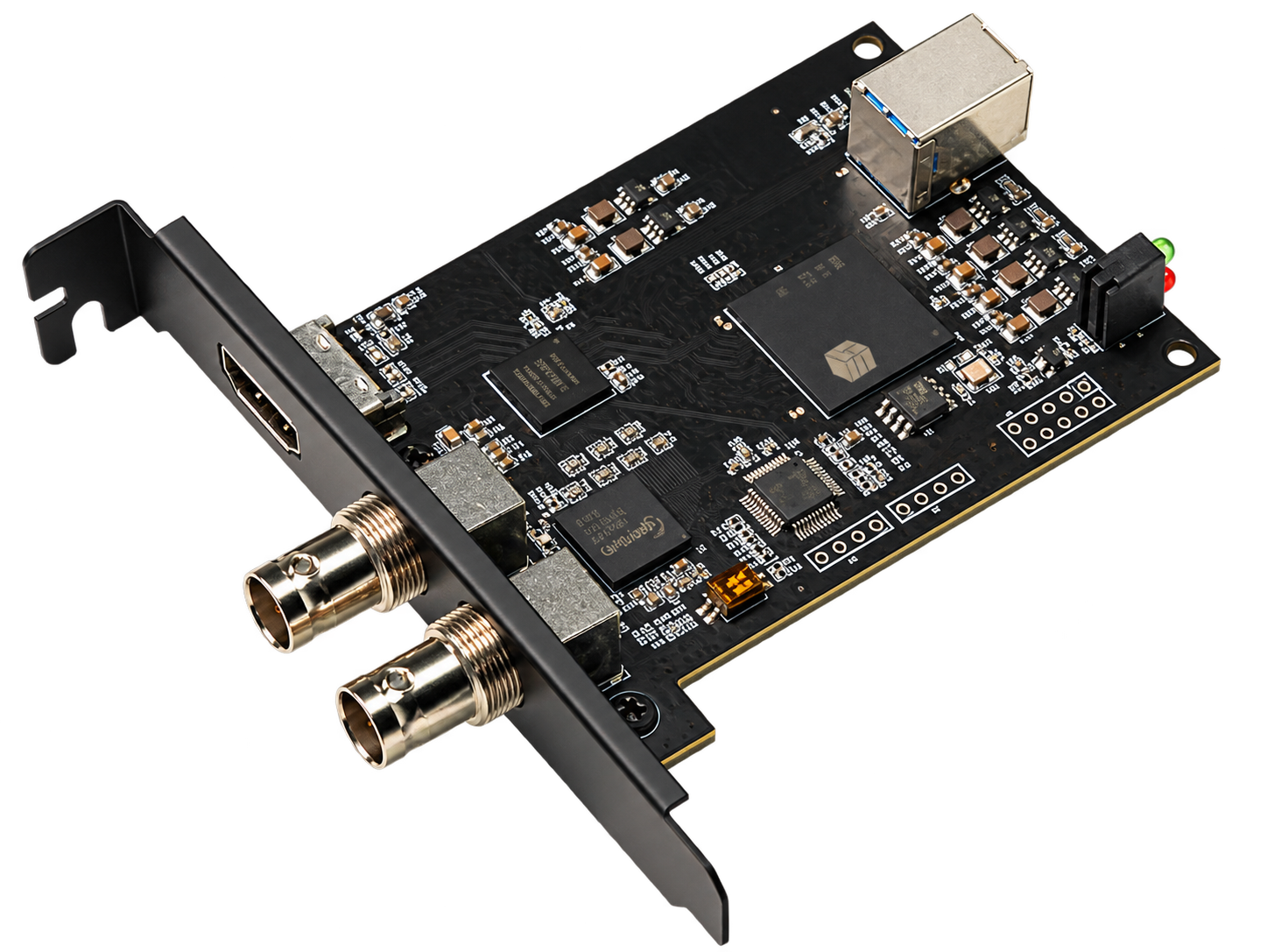
Internal USB 3.0 HDMI and Dual-SDI Video Output Card
A multi-interface display output solution for broadcast, live production, conferencing, industrial displays and professional AV integration. It receives host video over USB 3.0 and can simultaneously output up to 1920×1080 at 60 fps through one HDMI 1.4 and two 3G-SDI ports. Driver support is available for Windows, macOS and Android, with extended, mirrored and vMix external-output workflows.
USB 3.0 Input1× HDMI 1.4 Output2× 3G-SDI OutputsUp to 1080p60Three Simultaneous OutputsWindows / macOS / Android
CORE BENEFITS
Reliable host-video output to HDMI and SDI display systems
HDMI and Dual SDIOne HDMI 1.4 and two 3G-SDI physical outputs connect monitors, switchers and professional SDI equipment.
Three Simultaneous OutputsHDMI and both SDI ports can operate at the same time for monitoring and signal distribution; they are not specified as three independent desktops.
Up to 1080p60Outputs video at up to 1920×1080 at 60 fps, with backward compatibility for common HD resolutions.
USB 3.0 Host ConnectionReceives host video over USB 3.0 and delivers it to external HDMI and SDI display devices.
Multi-OS SupportDriver support for Windows, macOS and Android enables integration with different host platforms.
Flexible Software WorkflowsSupports extended or mirrored display modes, vMix fullscreen output and vMix External Output mode.

MULTI-INTERFACE HD OUTPUT
USB 3.0 to HDMI and Dual 3G-SDI Output
USB 3.0 Input · HDMI 1.4 + 2×3G-SDI Outputs · Up to 1080p60
The compact internal card combines a USB host interface, HDMI output and dual BNC SDI outputs for professional displays, broadcast monitoring, conference screens and embedded AV systems. The transparent product image is embedded directly in this source.
Simultaneous HDMI and dual-SDI output
Up to 1920×1080 at 60 fps with lower-resolution support
Extended and mirrored display modes
vMix fullscreen and External Output workflows
WORKFLOWS
Two practical display-output methods
01 · CONNECTConnect the host and displaysConnect the host through USB 3.0 and attach HDMI or SDI display devices.
02 · DRIVERInstall the platform driverInstall the matching driver for Windows, macOS or Android.
03 · DISPLAYExtend or mirror the desktopSelect extended or mirrored mode and configure a suitable output resolution.
04 · VMIXEnable professional outputUse fullscreen output or select External Output to send video through the card.
CORE SPECIFICATIONS
Technical Specifications
| Product Type | Internal USB video output card |
| Host Input | USB 3.0 |
| Video Outputs | 1× HDMI 1.4 + 2× 3G-SDI |
| Simultaneous Output | All three physical outputs can operate simultaneously |
| Maximum Output | 1920×1080 at 60 fps, backward compatible |
| Operating Systems | Windows, macOS and Android; matching driver required |
| Display Modes | Extended and mirrored display modes |
| vMix Workflows | Fullscreen output and External Output card mode |
APPLICATIONS
Professional video output and multi-display delivery
Broadcast MonitoringLive ProductionConference DisplaysLecture CaptureIndustrial DisplaysMedical Imaging DisplaysSDI System IntegrationOEM / ODM Integration
Usage note: When using vMix External Output mode, set the external display scaling to 100%. Other scaling values may cause incomplete output or prevent correct display. Install the correct driver for the host platform; available modes can also depend on the host, cables and connected displays.